Send Inventory to Sitruna
Let us know about an incoming shipment to Sitruna Logistics via the Send Inventory tab on the sidebar.
All incoming shipments should be added here at least 3 days prior to arrival - this ensures they get processed correctly and do not get lost.
To let us know a shipment is incoming, please submit an ASN (Advanced Shipping Notice) - this essentially allows the warehouse team to have notice of your shipment coming into the warehouse.
Create a new ASN
Click "+ Create ASN" in the top right corner of the page.
From here, enter all the details about your shipment, including the number of pallets or parcels and excepted shipment date (if you are not yet sure, please add your best guess)
Add all products that will be on this shipment and the expected quantity
If you are sending new products that are not yet on the system, please create the SKU in the dashboard first, following this guide: XX ADD GUIDE XX
It is good practice to add tracking information to an ASN and always keep the estimated time of arrival up to date using the edit button. This then keeps the warehouse team up to also!
View an existing ASN
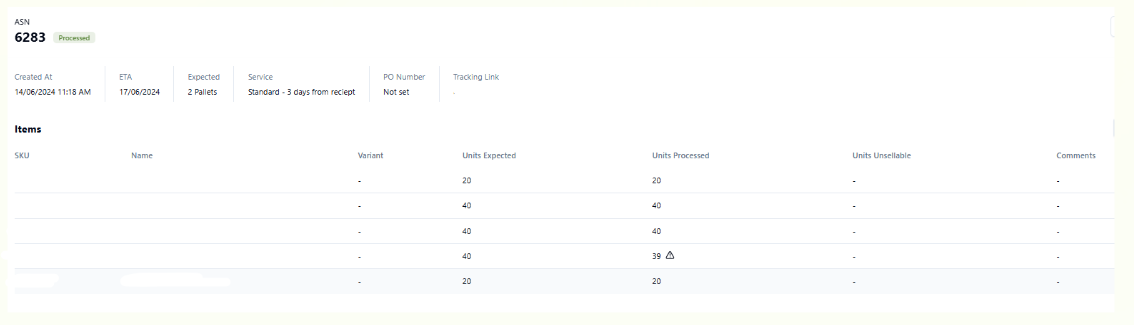
When you click into the ASN, it will show something similar to the below, the ‘Units Expected’ is what was submitted at the time of creating the ASN and ‘Units Processed’ is what the warehouse team counted when the shipment was being processed in. Any discrepancies will show a warning sign to alert you of the discrepancy.
If anything arrives to us in an unsellable way, the warehouse team will add a comment and attach any images so you have visibility of the condition of the stock.